
A fast, focused reader for judicial opinions.
Pull up any case in seconds—on your Mac, iPad, or iPhone—and read it in clean, well-formatted type, with citations as live links. Optional AI tools can answer questions and outline arguments, always grounded in the text.

Requires macOS 15+ or iOS 18+

Why Case Viewer?
In my day job as a law professor, I pull up lots of cases on my Mac, iPhone, or iPad. I want to get to the content fast, without jumping through a lot of hoops. For years, I did that by typing the case name into a search engine and clicking through to whichever webpage came up first. But this was clunky, navigating within the case was a pain, and the formatting was often terrible.
I built Case Viewer as a tool to solve those problems for myself—in effect, a self-contained browser tailored for finding, reading, and navigating legal content. Over years of refinement, it’s grown into a robust application used by professors, students, and practitioners around the country. And in my humble opinion, it’s become the fastest and most rewarding way to read cases.
More recently, I’ve added a set of optional AI features—answering questions, comparing opinions, and outlining arguments—that help you find and track threads of analysis while staying grounded in the text.
Any case, a few keystrokes away
Summon a search bar with a keystroke—Control + Space on the Mac—type a case name or citation, and the opinion opens. Case Viewer draws on the Library of Congress, Google Scholar, CourtListener, the Caselaw Access Project, and the Supreme Court’s website.
Questions answered from the case itself
Ask about a case or statute and get an answer tied to specific paragraphs—which the assistant can scroll to and highlight, so you can check it against the source. Select a passage to ask about it directly, or to see how the other opinions respond on that point.
Outlines built for long opinions
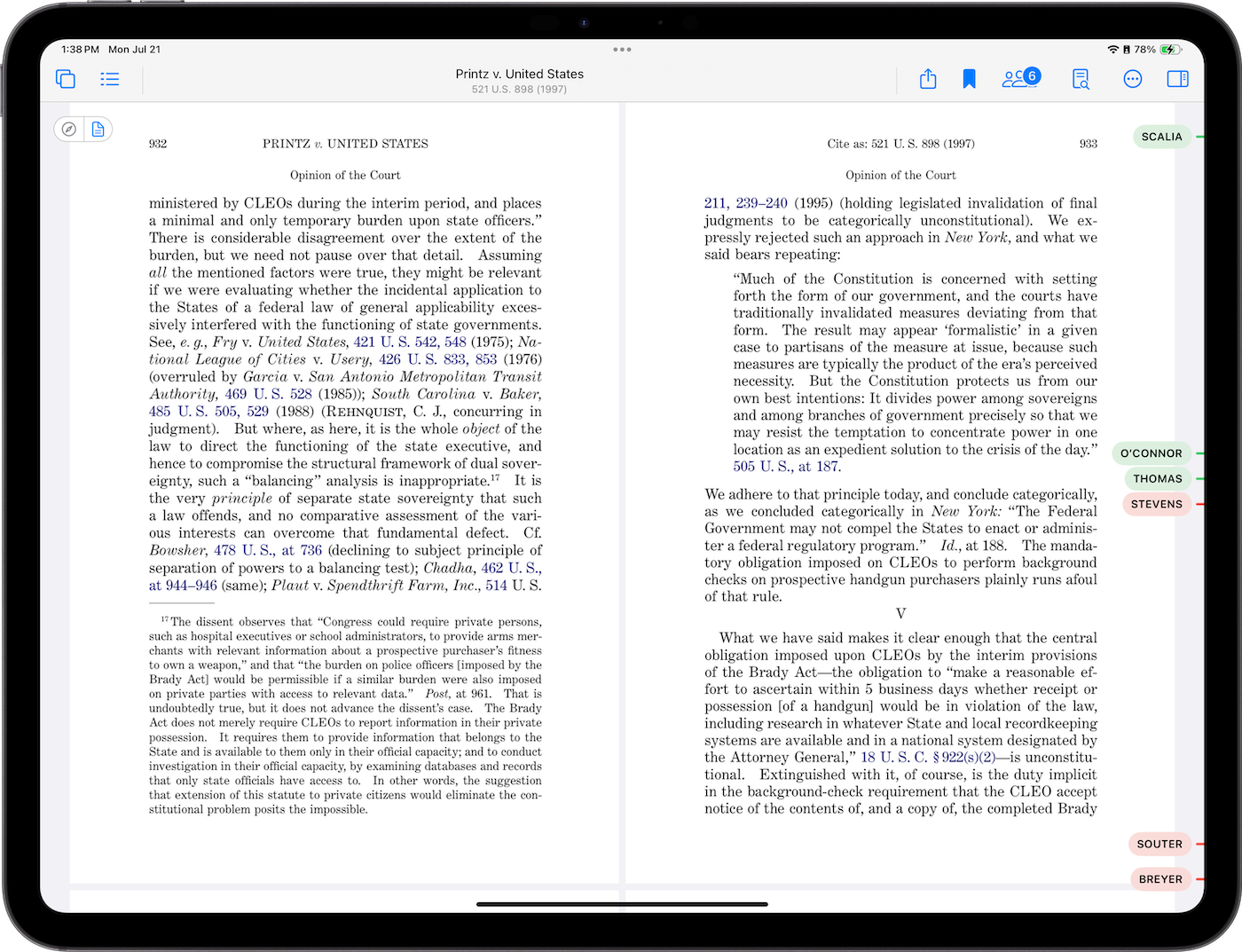
Move through an opinion by its own headings or by an AI-generated outline of its argument—useful for the many opinions, including most Supreme Court opinions, that are numbered but unlabeled. Separate opinions are detected automatically and marked along the scrollbar.
Opinions read aloud
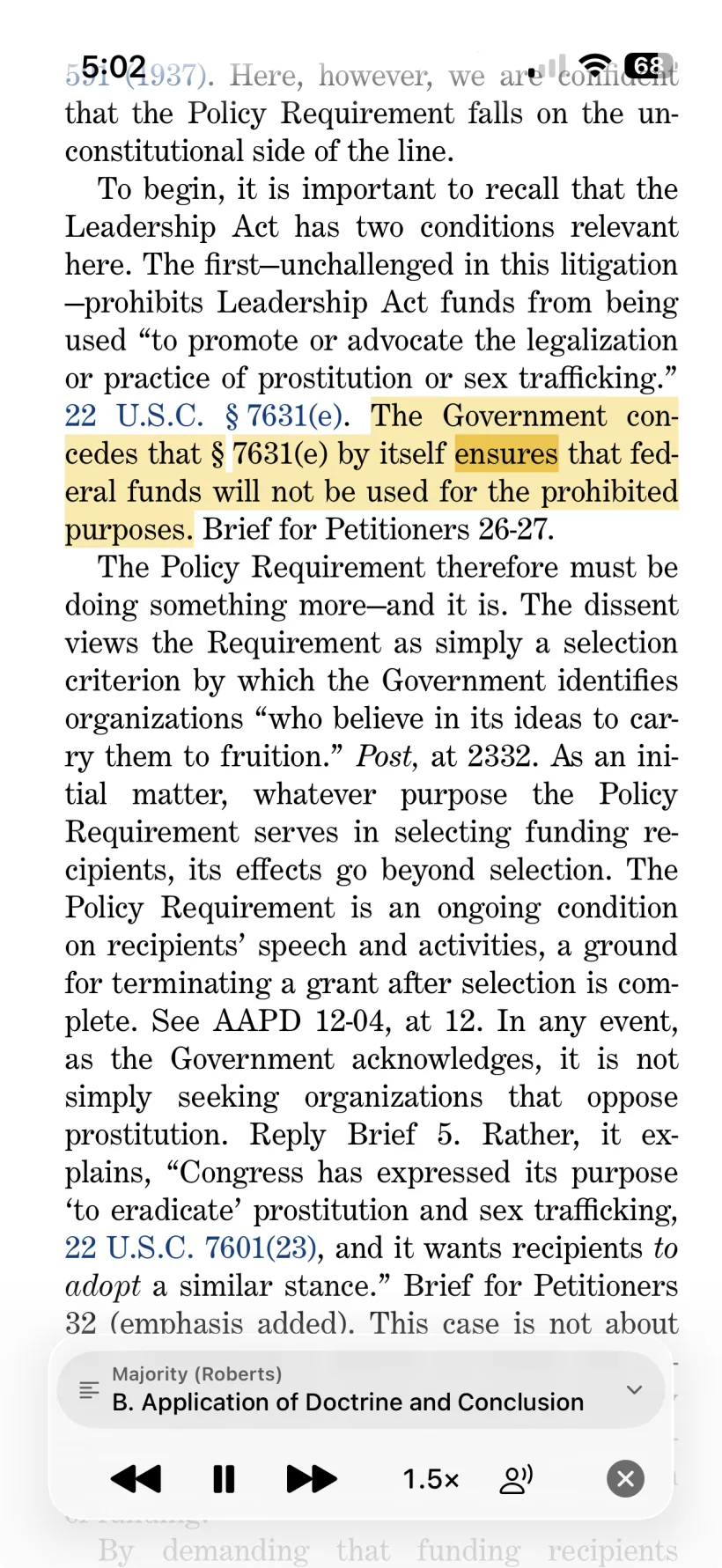
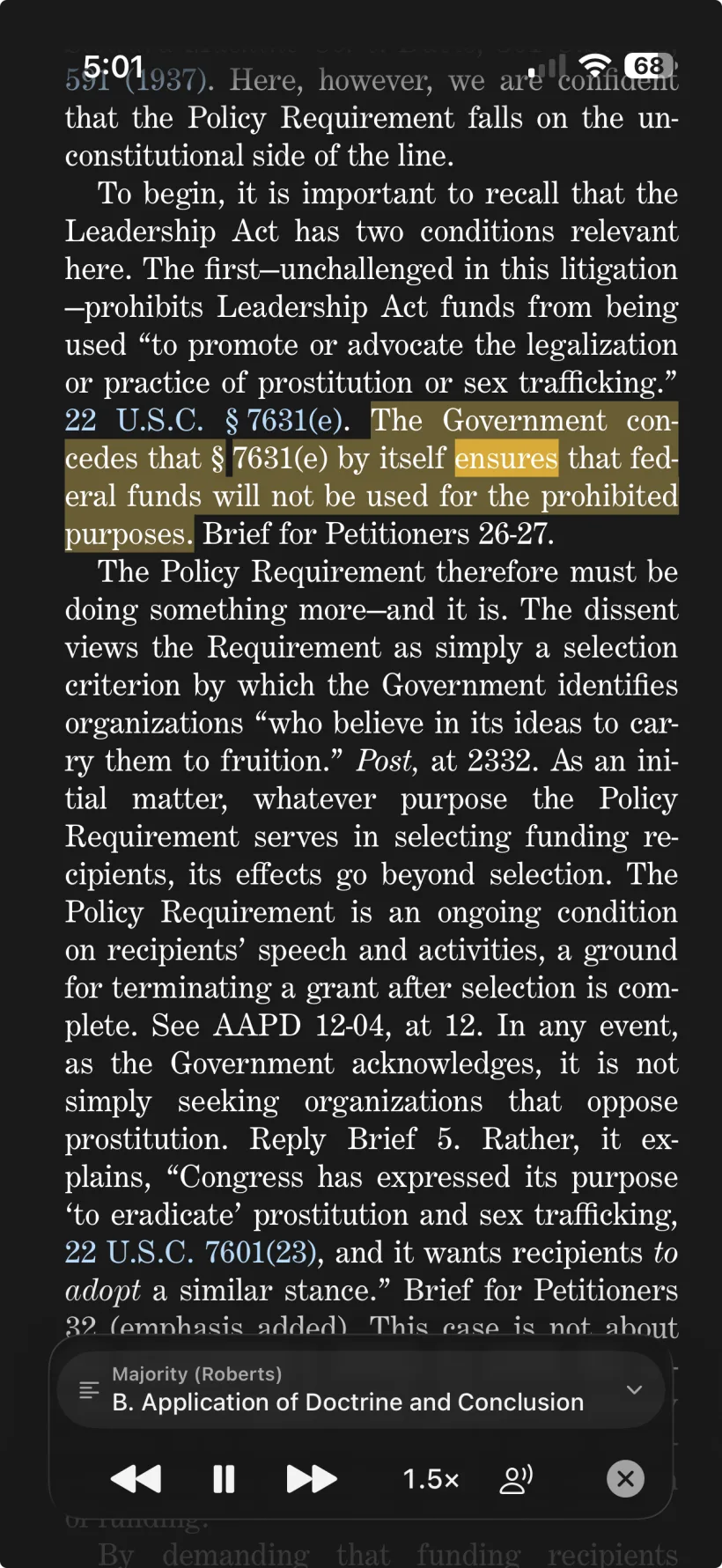
Press Listen and Case Viewer reads the opinion in a natural voice, highlighting and scrolling as it goes. It’s tuned for legal text—nearly all citations are compressed and spoken the way a lawyer would say them. Pick a voice and speed, skip by sentence, paragraph, or section, and keep listening from the lock screen, just like a podcast.
The same case, on every device
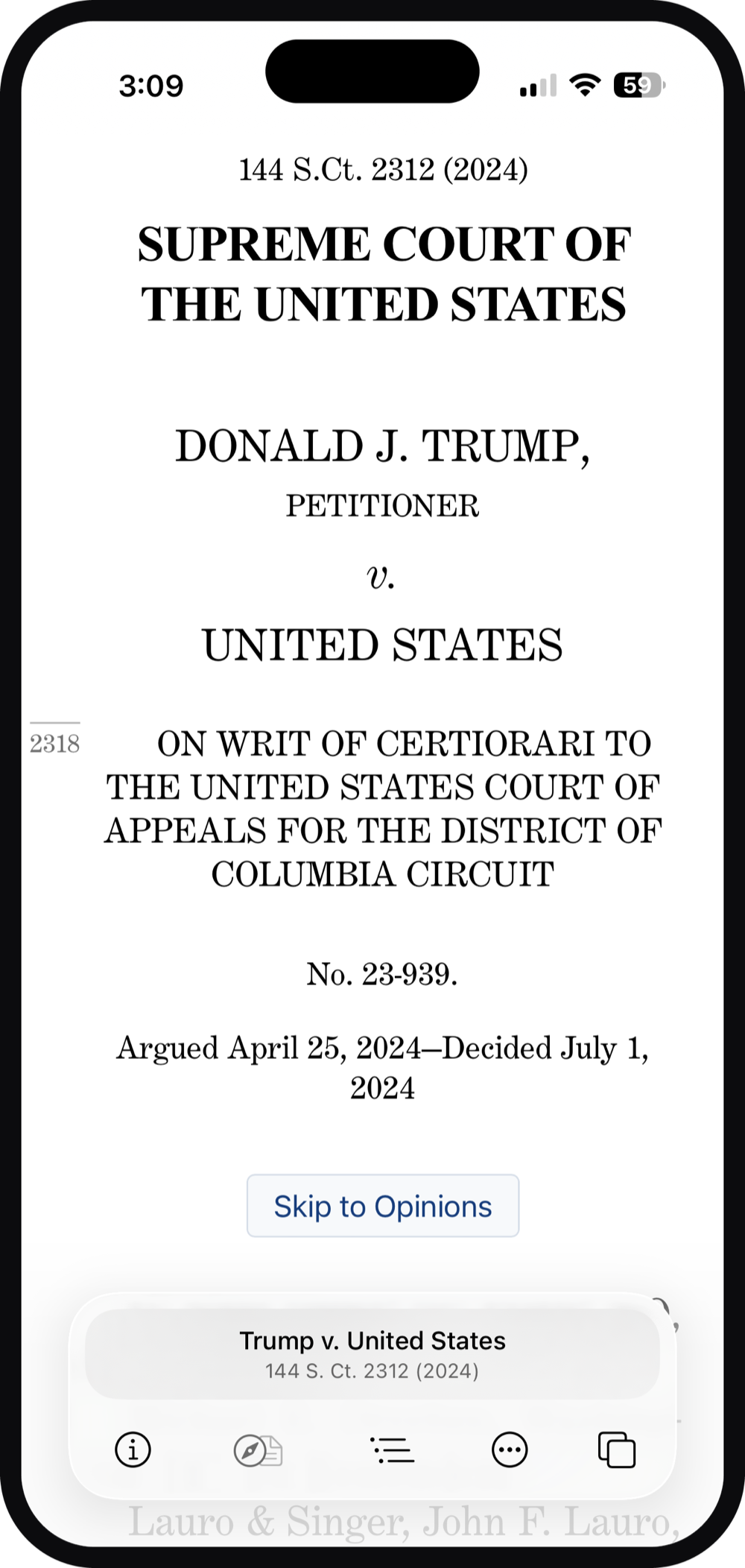
Read on whatever’s in front of you. Bookmarks and history sync across your devices through iCloud—open a case on your Mac and it’s there on your iPhone.
“This is how an essential resource obviously should be accessed. This app is so perfect it just feels good to use.”
“A wonderful and indispensable resource …”
Jack Goldsmith · Harvard Law School
“It is this amazing app … that you just press a button and type in a case name, and it’ll give you a PDF of the case. … You can copy and paste from it with perfectly Bluebooked citations. … I just think it’s genuinely a cool app, and I want more people to use it.”
Dan Epps · WashU Law · Divided Argument
“I can’t tell you how useful this has been. Thank you!”
Thomas Schmidt · Columbia Law School
“The case viewer app is amazing. AMAZING! It is pretty much what I’ve wanted for years but didn’t have the time/ability/imagination to make . . . Thank you for making my life a million times easier.”
Robin Effron · Fordham School of Law
“I’m glad we no longer have to settle for the horrible UI/UX that every other legal search platform offers. Thank you for this contribution!”
Omar Noureldin
“How do we live in a world where the best native legal research app on Windows, Mac, or iOS is @beidelson’s @CaseViewerApp? No shade at all to that truly excellent product, but that’s one guy doing a side gig. This is a multibillion dollar market!”
Tommy Bennett · SMU Law School
Features
Unified Search
One search covers five public sources, so you don’t need to know where to look. On a Mac, the search bar is always a keystroke (or a menu-bar click) away, even from inside another app.
Enhanced Formatting
Web-sourced cases are reset in a font of your choosing—hyphenated for better justification, shorn of parallel reporter citations, with footnotes converted to clickable popovers. PDFs are automatically cropped to focus on the content.
Opinion Navigation
Majority and separate opinions are detected and bookmarked—in the app and in any PDF or Word document you save from it. Scrollbar markers show where each opinion begins, so you aren’t lost in a sea of text.
Case Navigation
Cited cases are a click away, and most pincites are recognized too, so you land on the cited page. Where possible, the links are carried into the associated reporter PDFs, so you can navigate directly from one PDF to another.
Rich Context
Alongside each case, Case Viewer presents summaries, oral-argument links, vote breakdowns, and judge profiles. Hover over a citation to see what’s known about that case without leaving the one you’re reading.
Sharing and Export
Export almost any case to Word with meaningful styles applied, separate opinions identified, and footnotes intact. Exported or printed PDFs get wider margins, physical page numbers, and source attribution.
Copy with Citation
Select a passage and copy it with the citation and pincite attached—as an inline quotation or a parenthetical, ready to paste. Quotation marks are reprocessed from double to single, and pincites account for footnotes.
Statutes
Case Viewer also handles any U.S. Code citation, drawing on the database maintained by the House’s Office of the Law Revision Counsel. Code citations are hyperlinked within cases, and provisions can be exported to Word with formatting intact.
Platform Integration
Bookmarks and history sync through iCloud, and viewed cases join the Spotlight index. Highlight a case name in any app and send it to Case Viewer via the macOS Services menu—or send a case out to Mail, Messages, or Notes.
Bear in mind: The data presented and processed by Case Viewer comes from other sources that may contain errors. Errors are most common for text-based representations of state cases, because the Caselaw Access Project provides these with uncorrected OCR. Use your judgment and check reporter PDFs (which are generally available within the app) as needed.
Availability & Pricing
Case Viewer is available for Mac, iPhone, and iPad on the Apple App Store.
The app is free to download, and no subscription is required to search for and read cases.
Unlocks the more powerful features:
- AI chat, opinion comparison, and AI-generated tables of contents
- Listening to opinions read aloud
- Navigating between cases
- Working in multiple tabs or windows
- Exporting formatted documents
- Saving history and bookmarks
- Customizing formatting and appearance (such as “dark mode” for reading)
The subscription is meant to be very affordable while supporting future development. If the cost poses an obstacle for you, please reach out to request a discount.
Requires macOS 15+ or iOS 18+